• /
  • Blog

Validate GPU Cluster Readiness & Scale AI: The Triton vs vLLM Production Blueprint

Master AI infrastructure on bare metal. Learn to stress-test GPUs with NVIDIA DCGM & NCCL, and scale deployments using Triton Inference Server vs vLLM.

Imagine buying a multi-million-dollar Formula 1 race car. Would you drive it at 300 km/h on a professional track without checking the tire pressure, engine thermals, or brake lines? Of course not. In the AI infrastructure world, deploying a massive frontier model onto an untested 8x NVIDIA H100 or H200 Bare Metal GPU Cluster is the exact same catastrophic risk.

A GPU cluster can pass every basic health check and still fail under a real AI workload. Even when nvidia-smi looks completely green, a 512-GPU training job can stall because of a single degraded PCIe lane, a marginal optical cable, or a misconfigured RoCEv2 switch.

In this SRE Playbook, we will break down how to proactively Validate GPU Cluster Readiness before AI workloads land, and then solve the ultimate architectural holy war: Why and when NVIDIA Triton Inference Server outperforms vLLM (and vice versa).

Phase 1: Validating the Hardware (The F1 Car Fitness Test)

When an enterprise leases an expensive Bare Metal GPU server, the first operational step is the Master Health Checkup using NVIDIA DCGM (Data Center GPU Manager) Diagnostics. Standard passive telemetry (watching CPU/RAM usage) is fundamentally flawed for AI. You need active diagnostics that inject deliberate, highly-targeted stress to expose weak silicon, inadequate power supplies, or thermal throttling before your production workloads do.

The 4 Levels of DCGM Diagnostics

NVIDIA categorizes these diagnostic scripts into four sequential severity levels. SREs must run them to certify a node:

  • Level 1 (Deployment Sanity): Checks NVML/CUDA library alignment. (dcgmi diag -r 1)
  • Level 2 (Hardware Sanity): Exercises allocation bounds, cache behaviors, and basic PCIe paths. (dcgmi diag -r 2)
  • Level 3 (Integration Stress): While default DGEMM (FP64) tests are for legacy HPC, SREs must configure DCGM to target FP8/BF16 Tensor Cores to truly challenge the TDP and thermal limits of H100/H200 AI GPUs. (dcgmi diag -r 3)
  • Level 4 (Comprehensive Pulse Test): The ultimate stress test. (dcgmi diag -r 4)

Phase 2: The Network Fabric & Multi-Node Validation

Securing the CPU and GPU memory is useless if the data is sent across the cluster slowly. While physical hardware sniffers are a threat in bare-metal colocation setups, the real enterprise threat is a Rogue PCIe DMA Attack or a silently dropping network fabric.

This is where the NVIDIA Cluster Readiness Engine (NVCRE) and NCCL (NVIDIA Collective Communications Library) bandwidth tests become non-negotiable.

The MPO Cable Failure (A Hidden Gem)

The most common failure mode in field deployments is not a dead GPU. It is a marginal MPO optical cable connector (dust, damage, or misalignment) causing link errors that reduce effective bandwidth by 10% to 50% without triggering a full link drop. A simple ping test will completely miss this. While SREs must first check switch/NIC-level telemetry (like ibstat or Mellanox Neo) for FEC errors or signal degradation, NCCL Bandwidth Tests provide the definitive application-layer proof to catch this hidden bottleneck before workloads crash.

Executing the NCCL Fabric Test

To validate inter-node fabric, SREs should use MPI to launch an all_reduce_perf sweep. Here is the exact command structure used by elite SRE teams to validate an 8-GPU multi-node setup:

mpirun -np 16 -host node1:8,node2:8 \ -x NCCL_DEBUG=INFO \ -x NCCL_IB_HCA=mlx5 \ -x NCCL_IB_DISABLE=0 \ ./build/all_reduce_perf -b 8 -e 8G -f 2 -g 1 -n 20 -w 5

The 92% Rule: When evaluating the busbw (bus bandwidth) column in the NCCL output, you are looking for a bandwidth of around 92% of the theoretical maximum of the fabric. For a 400 GB/s InfiniBand or RoCEv2 fabric, a healthy cluster must consistently hit ~368 GB/s. If you see numbers dropping below 300 GB/s, stop the deployment. You have a topology, firmware, or cabling issue.

Phase 3: The 3 Layers of AI Serving (The Holy War)

Once the hardware is validated, you face the software routing dilemma. The internet is flooded with "Benchmark Theater" claiming vLLM destroys everything, while Fortune 500 enterprises continue to rely heavily on Triton.

To understand why, we must break down the 3 Layers of AI Serving. Most engineering teams pick the wrong tool because they confuse these layers.

  • Layer 1 (The Inference Engine): The core component that loads weights into GPU memory and computes the math (e.g., vLLM, TensorRT-LLM).
  • Layer 2 (The Inference Server): The wrapper that manages HTTP/gRPC APIs, request batching, health checks, and model loading (e.g., NVIDIA Triton Inference Server).
  • Layer 3 (The Orchestration Platform): The Kubernetes layer managing autoscaling, canary deployments, and traffic splitting (e.g., KServe).

Comparing vLLM to Triton is fundamentally flawed. It is like comparing an engine to a car chassis. Triton is a universal Layer 2 orchestration server, while vLLM is a highly specialized Layer 1 LLM engine (which also happens to have a basic built-in API).

Phase 4: The Batching Evolution (Maggie Shop vs 5-Star Kitchen)

The true performance difference in AI inference comes down to one critical algorithm: Batching. Let's break down the evolution from Static to Continuous Batching using a simple analogy.

  • 1. Static Batching (The Slow Waiting Room): Collects a fixed number of requests, runs them together, and returns everything when the last one finishes. If a batch has 4 requests that generate 20, 50, 100, and 500 tokens, the 20-token request finishes in milliseconds but is held hostage until the 500-token request finishes. GPU compute is wasted, and latency is terrible.
  • 2. Dynamic Batching (Triton's Default): Dynamic batching adds a timer. The batch fires on a size limit or when a timeout window expires (e.g., max_queue_delay_microseconds: 100). It is fantastic for fixed-cost models like Image Classification or Embeddings where every request takes the exact same compute time. However, for variable-length LLM generation, it still suffers from head-of-line blocking.
  • 3. Continuous Batching / In-Flight Batching (vLLM / TensorRT-LLM): Enter the "Fast-Food Counter." vLLM and TensorRT-LLM drop the concept of request-level batching entirely. They schedule at the iteration (token) level. The moment a sequence emits its End-Of-Sequence (EOS) token, the engine ejects it and injects a new waiting request mid-stream. Combined with PagedAttention (which treats GPU memory like virtual OS memory pages to eliminate fragmentation) and Chunked Prefill (splitting massive 32K prompts into bite-sized chunks to prevent generation stutter), Continuous Batching yields 3x to 5x higher throughput than naive PyTorch serving.

Phase 5: When to Choose Triton vs vLLM?

If vLLM is so fast, why do enterprises use Triton? Because Triton is the 5-Star Kitchen.

Choose vLLM if:

  • Your architecture is LLM-exclusive (text-in, text-out).
  • Your primary metrics are Time to First Token (TTFT) and Inter-Token Latency (ITL) under massive chat concurrency.
  • You need rapid enablement of new open-source models with an OpenAI-compatible API out of the box.

The Multi-Node Bottleneck

While vLLM is exceptional on a single node (up to 8 GPUs), deploying it across multiple nodes (e.g., a 16-GPU or 32-GPU cluster) exposes vLLM multiple node limitations. It struggles with optimal KV-cache synchronization and pipeline parallelism across slower inter-node connections compared to highly tuned MPI/NCCL backends like TensorRT-LLM.

Choose NVIDIA Triton Inference Server if:

  • You manage a Heterogeneous Fleet: You have Computer Vision, Whisper (Audio), classical ML (XGBoost), and LLMs running in the same infrastructure.
  • Enterprise multimodal ai architecture & Ensembles: If your pipeline involves audio transcription (Whisper), vision encoding (Qwen2-VL), and text generation (LLaMA) working together, Triton handles this complex multimodal AI architecture natively by passing tensors directly through shared memory without network latency (using BLS - Business Logic Scripting).
  • You want the Ultimate LLM Speed (TensorRT-LLM): Triton acts as a host. Enterprises deploy the TensorRT-LLM Backend inside Triton. This combines Triton's governance and gRPC metrics with NVIDIA's heavily optimized, compiled CUDA graphs (including FP8 quantization on Hopper architecture), bypassing Python overhead entirely for maximum throughput.

The tensorrt-llm vs vllm benchmark Reality: In real-world enterprise deployments, if you are running Llama 3 70B on Hopper (H100) architecture, TensorRT-LLM consistently delivers 15% to 35% higher throughput than vLLM at large batch sizes (Batch 128+). Triton paired with TensorRT-LLM leverages fused FP8 attention kernels that vLLM often cannot match natively. The trade-off? TensorRT-LLM requires a 30-minute engine compilation whenever your batch size or sequence limits change, whereas vLLM loads HuggingFace weights instantly.

Phase 6: The iRexta Bare Metal Advantage

Building a robust, enterprise-grade AI architecture requires wrestling with NVCRE tests, TensorRT-LLM compilations, MPO cable checks, PCIe downgrades, and dynamic batching configurations. But what if you didn't have to?

Stop trusting unverified hypervisors and shared cloud infrastructure.

As a leading cluster API bare metal provider, iRexta integrates seamlessly into your orchestration workflows. Whether you use Kubernetes, Slurm, or Ray, we deliver 100% Pre-Tested, Production-Ready Bare Metal GPU Clusters.

At iRexta, we deliver 100% Pre-Tested, Production-Ready Bare Metal GPU Clusters. Every H100, H200, and Blackwell system delivered by iRexta undergoes rigorous proprietary stress testing:

  • Pre-validated DCGM Level 4 Pulse Tests to guarantee thermal and PSU stability.
  • Multi-node NCCL Bandwidth Stress Tests to ensure 100% RoCEv2/InfiniBand non-blocking fabric performance.
  • Pre-configured environments ready for both vLLM deployment and Triton Inference Server architectures.

You focus on deploying your proprietary AI models, managing your context windows, and hitting your latency SLAs. iRexta guarantees the Hardware Root of Trust.
Recent Topics for you

Validate Bare Metal GPUs & Scale AI: Triton vs vLLM

Validate Bare Metal GPUs & Scale AI: Triton vs vLLM

Master AI infrastructure on bare metal. Learn to stress-test GPUs with NVIDIA DCGM & NCCL, and scale deployments using Triton Inference Server vs vLLM.

Fix LangGraph Crashes: Temporal AI Agents on Bare Metal

Fix LangGraph Crashes: Temporal AI Agents on Bare Metal

Fix LangGraph crashes. Deploy Temporal for durable AI agent orchestration on Bare Metal NVMe. Escape SaaS runtime fees and cloud IOPS limits.

The Sovereign AI Gateway: Ditch Cloud Egress & Self-Host Envoy

The Sovereign AI Gateway: Ditch Cloud Egress & Self-Host Envoy

Ditch AWS egress traps and SaaS taxes. Self-host the open-source Envoy AI Gateway on Bare Metal. Master stateless MCP routing and NIST security.

Istio Architecture: The Definitive Guide to Ambient Mesh

Istio Architecture: The Definitive Guide to Ambient Mesh

Deep dive into Istio Ambient Mesh architecture. Compare Azure vs Istio, decode Ztunnel magic, HBONE, and the eBPF vs iptables debate.

AI Bottlenecks: Chips Got Faster, Stacks Didn't | iRexta

AI Bottlenecks: Chips Got Faster, Stacks Didn't | iRexta

Fast GPUs fail on slow clouds. Stop hypervisor latency & network bottlenecks from killing AI throughput. See why Bare Metal wins.

Cloud Document AI vs Bare Metal: Hidden Costs | iRexta

Cloud Document AI vs Bare Metal: Hidden Costs | iRexta

Cut AWS Textract fees & cloud egress taxes. Learn why scaling Enterprise Document AI securely requires self-hosted bare metal.

Agentic AI Security Risks: 6 Threats Enterprises Face | iRexta

Agentic AI Security Risks: 6 Threats Enterprises Face | iRexta

Autonomous AI agents operate at machine speed. Learn how to prevent prompt injection, memory poisoning, and metadata exfiltration using Bare Metal isolation and MicroVMs.

How to Secure AI Agents on Bare Metal Servers | iRexta

How to Secure AI Agents on Bare Metal Servers | iRexta

Stop relying on basic containerization. Understand the lethal trifecta of agent security and how iRexta bare metal servers provide absolute hardware isolation.

Agentic AI Hardware Requirements: CPU vs GPU | iRexta

Agentic AI Hardware Requirements: CPU vs GPU | iRexta

Stop overprovisioning expensive accelerators. Understand why autonomous agents demand massive core density and how iRexta AMD EPYC servers deliver optimal inference performance.

AMD EPYC 8005 Bare Metal Server Review: The Engineering Truth

AMD EPYC 8005 Bare Metal Server Review: The Engineering Truth

Stop falling for hardware marketing illusions. Uncover the architectural realities of the AMD EPYC 8005 processor and how iRexta optimizes it for targeted storage workloads.

What 99.9% vs 99.99% Uptime Really Means (With Downtime Minutes)

What 99.9% vs 99.99% Uptime Really Means (With Downtime Minutes)

Stop falling for the SLA credit trap. Discover the true mathematics behind server downtime the hidden security risks causing outages and how dedicated infrastructure guarantees absolute availability.

Type 1 Bare Metal Hypervisors: Building a Private Cloud on Dedicated Servers

Type 1 Bare Metal Hypervisors: Building a Private Cloud on Dedicated Servers

Escape the commercial virtualization tax. Learn how Type 1 bare metal hypervisors transform dedicated servers into highly secure scalable private clouds.

Docker on Bare Metal: 2026 Private Cloud Guide

Docker on Bare Metal: 2026 Private Cloud Guide

Bypass the hypervisor tax. Learn why deploying Docker directly on bare metal servers with Coolify and NVIDIA GPUs is the ultimate 2026 cloud architecture.

Real-Time Deepfake Detection Infrastructure: Why Cloud VMs Drop Frames and Dedicated GPUs Win

Real-Time Deepfake Detection Infrastructure: Why Cloud VMs Drop Frames and Dedicated GPUs Win

Is your deepfake defense missing critical AI glitches? Discover how hypervisor latency causes dropped frames, and why security teams trust Dedicated Bare Metal GPUs for Zero-Trust video analysis.

The Silent App Killer: IOPS vs. Throughput

The Silent App Killer: IOPS vs. Throughput

You doubled your RAM and CPU, but your database is still crawling. Stop blaming your code. Here is the deep science of storage metrics and how to escape the "Provisioned IOPS" cloud trap.

DBaaS vs. Dedicated Servers: The Real Cost of "Convenience"

DBaaS vs. Dedicated Servers: The Real Cost of "Convenience"

Why high-growth startups are moving their databases back to Bare Metal to save money, boost IOPS, and escape the "Cloud Trap".

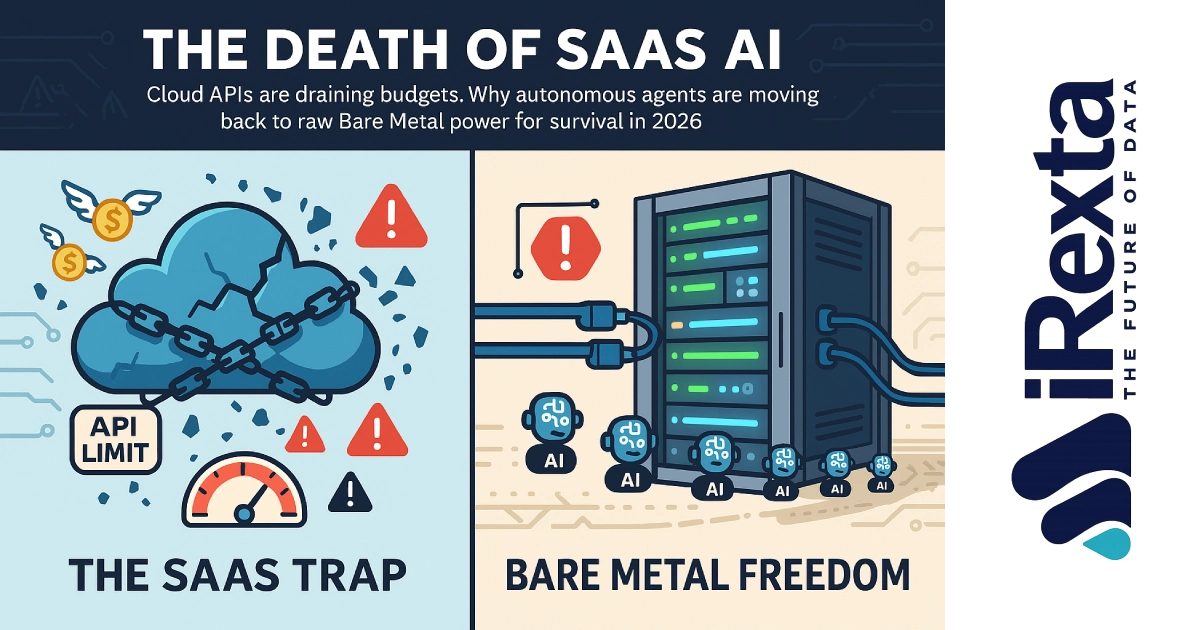
The Death of SaaS: Why AI Agents Are Moving Back to Bare Metal

The Death of SaaS: Why AI Agents Are Moving Back to Bare Metal

AI APIs and Cloud GPUs are draining budgets. Discover why the tech industry is shifting toward Bare Metal Dedicated Servers for running AI Agents in 2026.

Website Bandwidth vs. Data Transfer: The Dedicated Server Guide

Website Bandwidth vs. Data Transfer: The Dedicated Server Guide

Confused by hosting specs? We break down the critical difference between Port Speed (1Gbps) and Monthly Transfer limits so you can stop overpaying for "Unlimited" lies.

VMware is Dead? Switch to Proxmox Bare Metal

VMware is Dead? Switch to Proxmox Bare Metal

Broadcom just broke the contract of trust. Learn why sysadmins are fleeing ESXi for Proxmox, KVM, and ZFS on iRexta Bare Metal.

Why Gaming Companies Are Switching to Bare Metal Servers

Why Gaming Companies Are Switching to Bare Metal Servers

Lag kills games. Discover why top gaming studios choose Bare Metal over Cloud for higher Tick Rates, lower latency, and zero Noisy Neighbors.

TLS vs. SSL: Key Differences & Why You Must Upgrade (2025 Guide)

TLS vs. SSL: Key Differences & Why You Must Upgrade (2025 Guide)

Confused about TLS vs. SSL? Our definitive guide breaks down the critical differences in security, encryption, and performance.

RAID 50 vs RAID 60: Which RAID Configuration Is Best for Your Server Needs?

RAID 50 vs RAID 60: Which RAID Configuration Is Best for Your Server Needs?

Confused between RAID 50 and RAID 60? Discover the key differences, performance comparisons, and best use cases. Learn which configuration suits your server setup in Denver or across Colorado.

Private Networking for Bare Metal Servers

Private Networking for Bare Metal Servers

Discover how private networking for bare metal servers boosts security, reduces latency, and saves bandwidth costs. Learn benefits, use cases, and how it works.

What Are the Risks of Not Having a Dedicated IP Address?

What Are the Risks of Not Having a Dedicated IP Address?

In today's interconnected digital landscape, a dedicated IP address plays a crucial role in ensuring secure, stable, and high-performance access to online services.

What Is the Difference Between SoftRAID and HardRAID? Which One Is Better?

What Is the Difference Between SoftRAID and HardRAID? Which One Is Better?

RAID, short for Redundant Array of Independent Disks, is a foundational technology used in data storage to improve performance, enhance fault tolerance, and ensure high availability.

1

Enterprise & SRE Technical FAQ

What is the exact difference between Dynamic Batching and Continuous Batching?
Dynamic Batching (used by default in Triton) groups requests based on a short timeout window. Once the batch starts, it locks the GPU until the longest sequence in that batch finishes, causing head-of-line blocking for shorter requests. Continuous Batching (used by vLLM and TensorRT-LLM) schedules at the iteration level. It ejects finished sequences and injects new prompts mid-stream, eliminating GPU idle time and drastically increasing token throughput.
Why do we need to run NCCL bandwidth tests on a Bare Metal GPU cluster?
A GPU can pass standard software health checks but fail under distributed training due to hardware degradation, such as a marginal MPO optical cable or a silent PCIe link downgrade (e.g., Gen5 x16 dropping to Gen3 x8). NCCL Bandwidth Tests (like all_reduce_perf) force real payload transfers across the NVLink and InfiniBand fabric to expose these hidden bottlenecks before your production workload crashes.
Can I run Triton Inference Server and vLLM together?
Yes, but you shouldn't run them as separate, competing containers on the exact same GPU without strict MIG (Multi-Instance GPU) partitioning, as they will fight for KV-Cache memory and cause OOM crashes. Instead, the enterprise standard is to use Triton as the Layer 2 orchestration server and configure the vLLM Backend or TensorRT-LLM Backend inside Triton. This gives you Triton's multi-model governance combined with vLLM's execution speed.
How does "Chunked Prefill" solve latency spikes in LLM serving?
When a new request with a massive 32K-token prompt joins an active batch, processing the entire prompt in one forward pass (Whole Prefill) blocks the GPU. Active decode requests are forced to wait, causing output generation to stutter. Chunked Prefill breaks that massive prompt into fixed-size token ranges (e.g., 2K chunks) scheduled over several passes. This keeps the GPU saturated while maintaining a smooth Inter-Token Latency (ITL) for active users.
What is the NVIDIA Cluster Readiness Engine (NVCRE)?
NVCRE is an open-source Kubernetes controller that validates GPU cluster readiness by running real distributed workloads (like nccl-all-reduce) across topology-aware node groups before AI jobs land in production. It replaces manual NCCL manifest writing and rack-by-rack bisection, explicitly pinpointing which specific node or PCIe link failed the test.
Does TensorRT-LLM always outperform vLLM?
Not automatically. TensorRT-LLM compiles your model weights into a highly optimized CUDA kernel graph specific to your GPU architecture, often delivering maximum throughput at high concurrency (especially with FP8 quantization on Hopper GPUs). However, any change to the model or batch size limits forces a 30-minute rebuild. vLLM is generally preferred for rapid deployment and mixed GPU fleets, while TensorRT-LLM is the choice for stable, hyper-optimized production models where every millisecond of latency matters.